
Batch Rename Sheets
Sheets
Autodesk® Revit® add-in for batch renaming sheet numbers and sheet names using find & replace with optional RegEx support and live preview.
Overview
- Batch Rename Sheets lets you rename sheet numbers and sheet names across the entire model in a single operation - with a live preview before any changes are applied.
- The tool lists all sheets with key properties including Sheet Number, Sheet Name, Drawn By, Checked By, and Sheet Collection. Preview columns show the resolved new values before committing any changes.
- Use Find & Replace with optional RegEx support to transform names flexibly. Sheet Number and Sheet Name can be targeted independently via dedicated checkboxes. The sheet list can be filtered by any column using Contains, Starts With, or Ends With matching.
Features
Lists all sheets with key properties and live rename preview
Find & Replace with optional RegEx support
Independent targeting of Sheet Number, Sheet Name, or both
Filter sheet list by any column (Contains, Starts With, Ends With)
Known Limitations
- Sheet numbers must remain unique - duplicate sheet numbers will be rejected by Revit
- RegEx syntax errors in Find & Replace will skip renaming for affected sheets
Screenshots
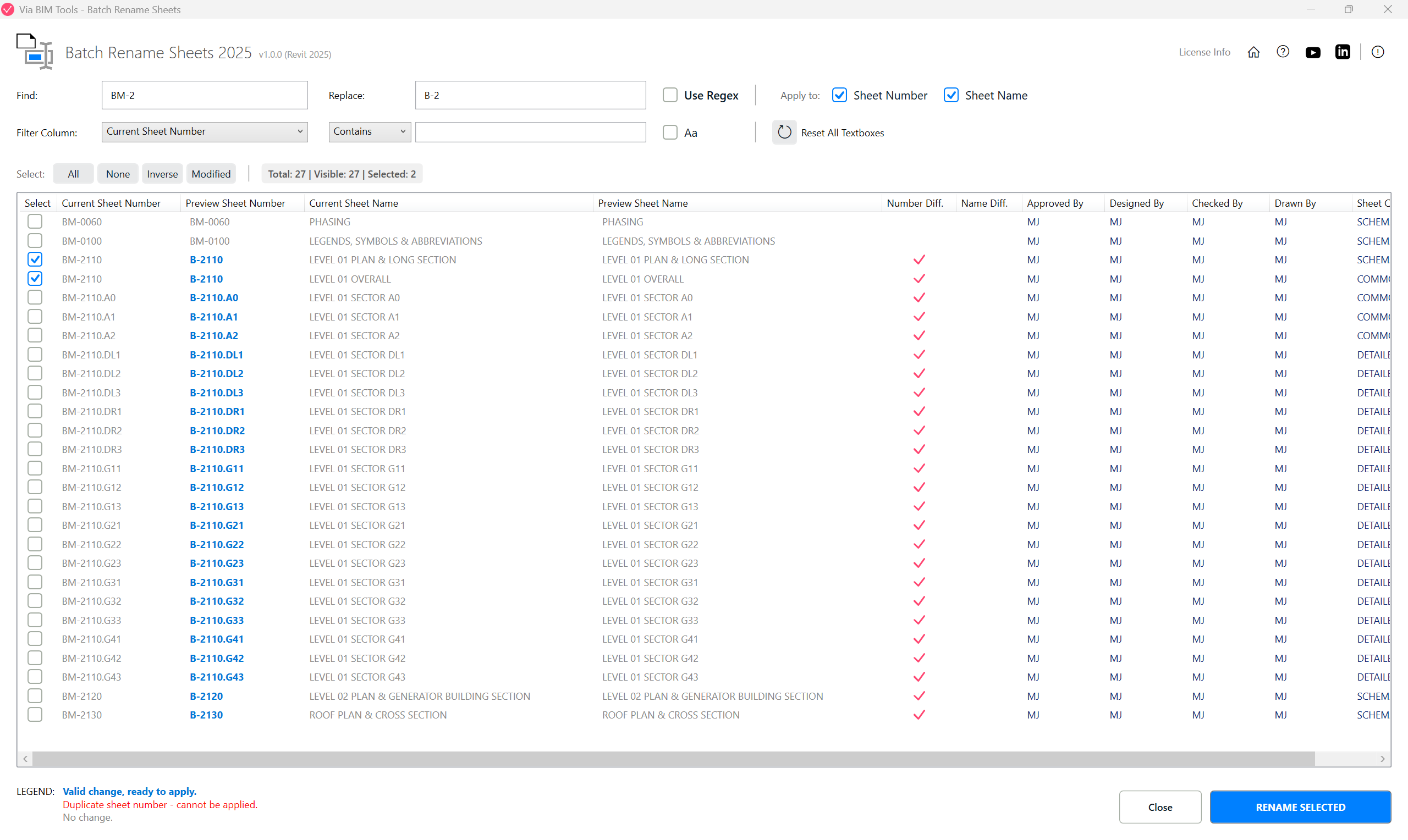
Find & Replace sheet numbers and names with a live rename preview
Part of
Via BIM Tools Bundle17 tools
Version1.0.0
Revit2024, 2025, 2026, 2027
PlatformWindows
Also in the bundle
Scope Box ManagerCopy Scope Boxes From LinkReassign Scope Boxes To ViewsCreate Dependent ViewsPlace Views On SheetsBatch Rename Views
Batch Rename Sheets
Copy View Markers From LinkAlign Views On SheetsLinks SelectorPlan Region SnooperMEP Level MapperManage Revit UnitsLayers ManagerRoom 3D TagsRoom 3D VolumesRoom Space Cleanup