
Reassign Scope Boxes To Views
Model Management
Autodesk® Revit® add-in for detecting views whose name suffix matches an existing Scope Box name and assigning them automatically.
Overview
- Reassign Scope Boxes To Views matches views to Scope Boxes by comparing the view name suffix against existing Scope Box names - eliminating the need to manually assign Scope Boxes one view at a time.
- The tool lists all candidate views with their current and suggested Scope Box assignment, letting you review and select which views to update before applying changes in bulk.
- A configurable name separator defines where the suffix begins, and an optional case-sensitive matching mode allows for stricter name comparison.
Features
Automatic detection of views whose name suffix matches an existing Scope Box
Configurable name separator to define the suffix boundary
Case-sensitive matching option for stricter comparison
Review list of all candidate views with current and suggested Scope Box
Bulk apply Scope Box assignments to selected views
Known Limitations
- Matching is based on view name suffix only - view names must follow a consistent naming convention
- Does not create new Scope Boxes - only assigns existing ones
Screenshots
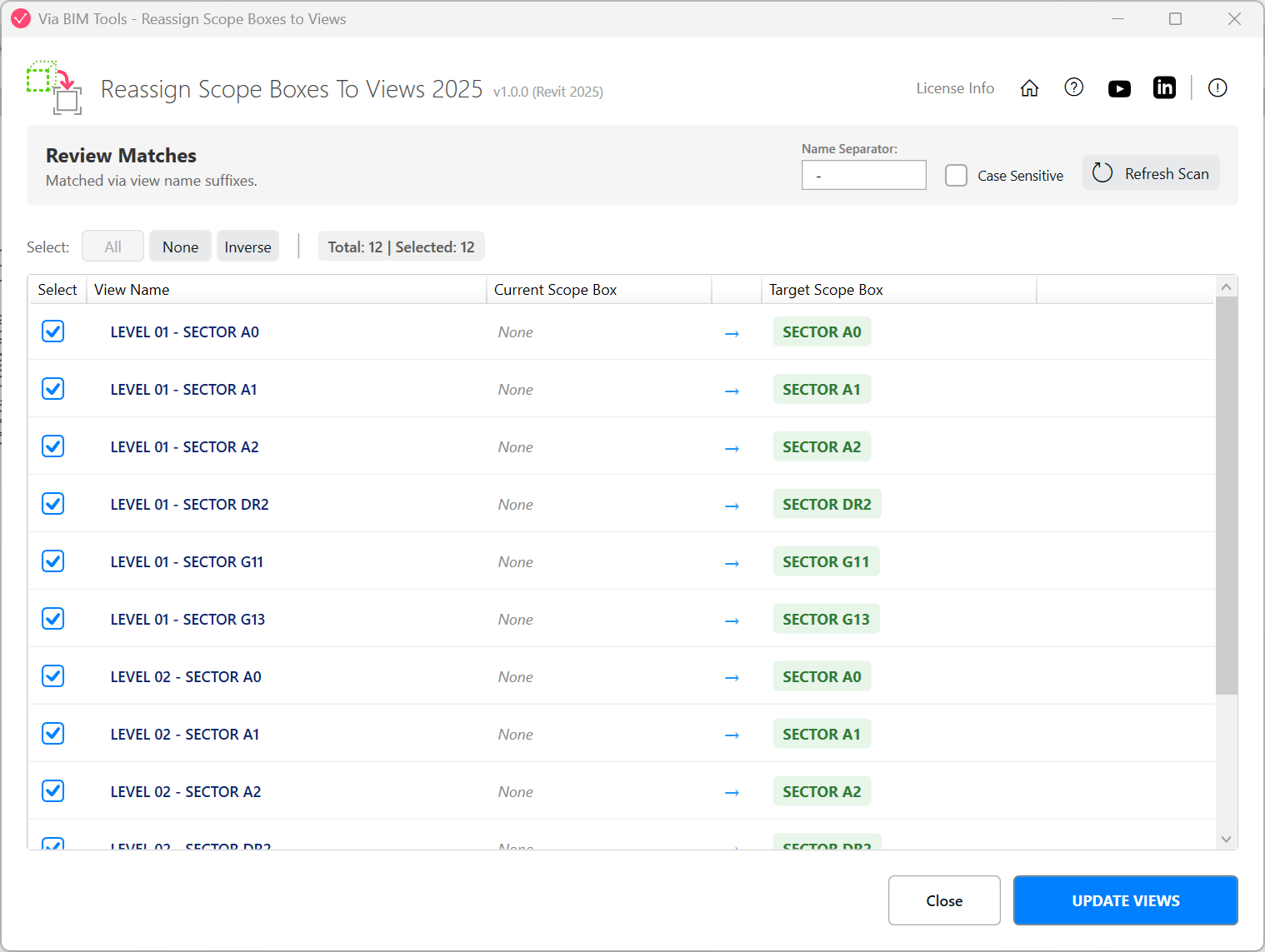
List view of candidate views with current and suggested Scope Box assignment
Part of
Via BIM Tools Bundle17 tools
Version1.0.0
Revit2024, 2025, 2026, 2027
PlatformWindows
Also in the bundle
Scope Box ManagerCopy Scope Boxes From Link
Reassign Scope Boxes To Views
Create Dependent ViewsPlace Views On SheetsBatch Rename ViewsBatch Rename SheetsCopy View Markers From LinkAlign Views On SheetsLinks SelectorPlan Region SnooperMEP Level MapperManage Revit UnitsLayers ManagerRoom 3D TagsRoom 3D VolumesRoom Space Cleanup