
Copy Scope Boxes From Link
Model Management
Autodesk® Revit® add-in for inspecting Scope Boxes in a linked file and updating existing or copying missing ones into the active model, with workset assignment option.
Overview
- Copy Scope Boxes From Link inspects Scope Boxes in a linked Revit model and copies missing or out-of-sync ones into the active model - keeping your host model aligned with the reference.
- Select a linked model from a dropdown to review all its Scope Boxes alongside their counterparts in the host model. For each Scope Box, the tool provides an automatic recommendation: NEW (not present in host), NO (exists and matches within tolerance), or YES (SYNC) (exists but position or size is outside tolerance).
- You can control matching sensitivity by setting a position and size tolerance in project units, assign a target Workset to all copied Scope Boxes, and optionally reassign dependent elements to the synchronized Scope Boxes after copying.
Features
Select linked model from dropdown and inspect its Scope Boxes
Review Scope Box data: name, pin status, dependent count, origin and size in both models
Automatic per-Scope Box recommendation: NEW, NO, or YES (SYNC)
Configurable position and size tolerance in project units
Workset assignment for all copied Scope Boxes
Optional reassignment of dependent elements after sync
Known Limitations
- Linked model must be loaded and visible in the active view
- Workset assignment requires an active worksharing session
Screenshots
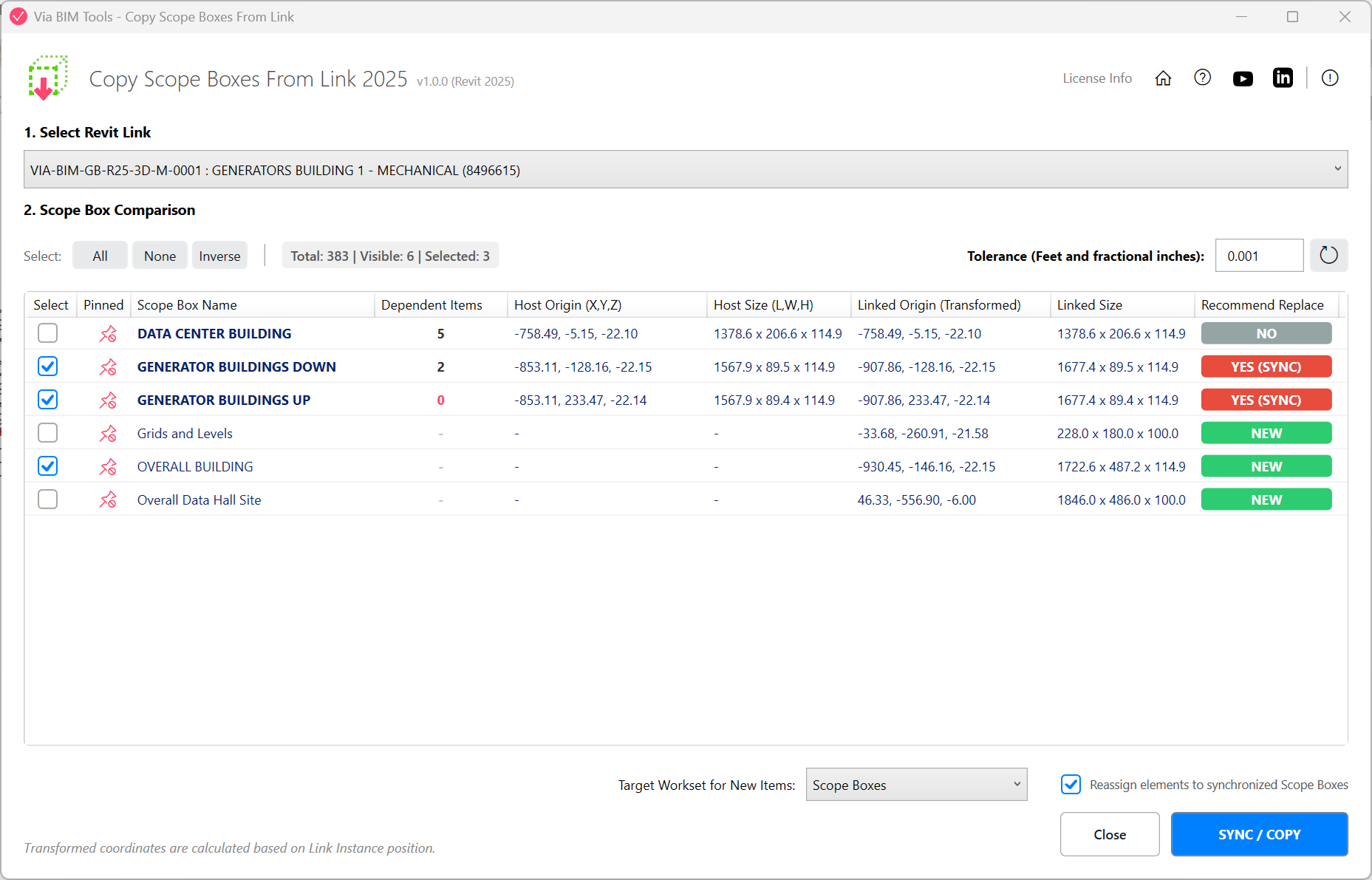
List view comparing scope boxes in the host model against the selected link, with sync recommendations
Part of
Via BIM Tools Bundle17 tools
Version1.0.0
Revit2024, 2025, 2026, 2027
PlatformWindows
Also in the bundle
Scope Box Manager
Copy Scope Boxes From Link
Reassign Scope Boxes To ViewsCreate Dependent ViewsPlace Views On SheetsBatch Rename ViewsBatch Rename SheetsCopy View Markers From LinkAlign Views On SheetsLinks SelectorPlan Region SnooperMEP Level MapperManage Revit UnitsLayers ManagerRoom 3D TagsRoom 3D VolumesRoom Space Cleanup