
Plan Region Snooper
Views
Autodesk® Revit® add-in for reviewing all Plan Regions in the active model and navigating directly to them in their respective views.
Overview
- Plan Region Snooper gives you a complete overview of all Plan Regions in the model in one place - making it easy to audit, locate, and navigate to them without manually opening each view.
- The tool lists all Plan Regions with key properties including presence and visibility in the active view, view type, view name, associated level, and Plan Region ID. Click the Show button on any row to open the containing view and select the Plan Region directly.
Features
Lists all Plan Regions in the model with key properties
Shows presence and visibility status in the active view
Navigate directly to any Plan Region with a single click
Opens the containing view and selects the Plan Region automatically
Known Limitations
- Read-only - does not modify or delete Plan Regions
- Navigation requires the containing view to be accessible in the current model
- Revit default message 'No good view could be found' when opening view which contains plan region, this should be ignored, it's the actual view
Screenshots
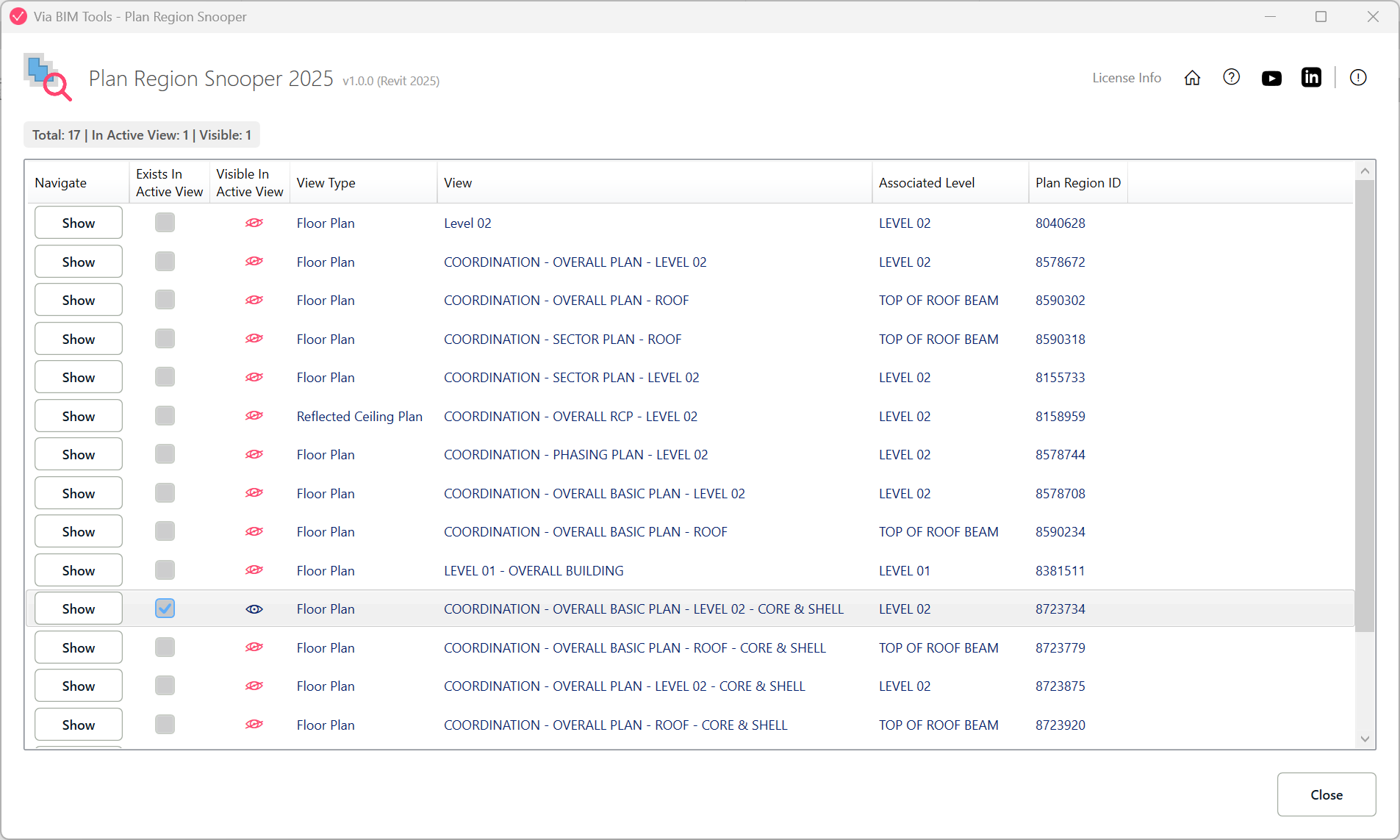
List view of all Plan Regions with their view, level, and visibility status
Part of
Via BIM Tools Bundle17 tools
Version1.0.0
Revit2024, 2025, 2026, 2027
PlatformWindows
Also in the bundle
Scope Box ManagerCopy Scope Boxes From LinkReassign Scope Boxes To ViewsCreate Dependent ViewsPlace Views On SheetsBatch Rename ViewsBatch Rename SheetsCopy View Markers From LinkAlign Views On SheetsLinks Selector
Plan Region Snooper
MEP Level MapperManage Revit UnitsLayers ManagerRoom 3D TagsRoom 3D VolumesRoom Space Cleanup